LIVE STREAMING OF COURTS 1 & 2 AVAILABLE NOW!
〰️
LIVE STREAMING OF COURTS 1 & 2 AVAILABLE NOW! 〰️
SDTC now has live streaming of courts 1 and 2 available through an app for your phone. You can now see what the court conditions are on those rainy days without having to go to the website for updates.
The process:
Access the App store from your phone
Search for XMEye - you will see an app choice like this (with an iphone)
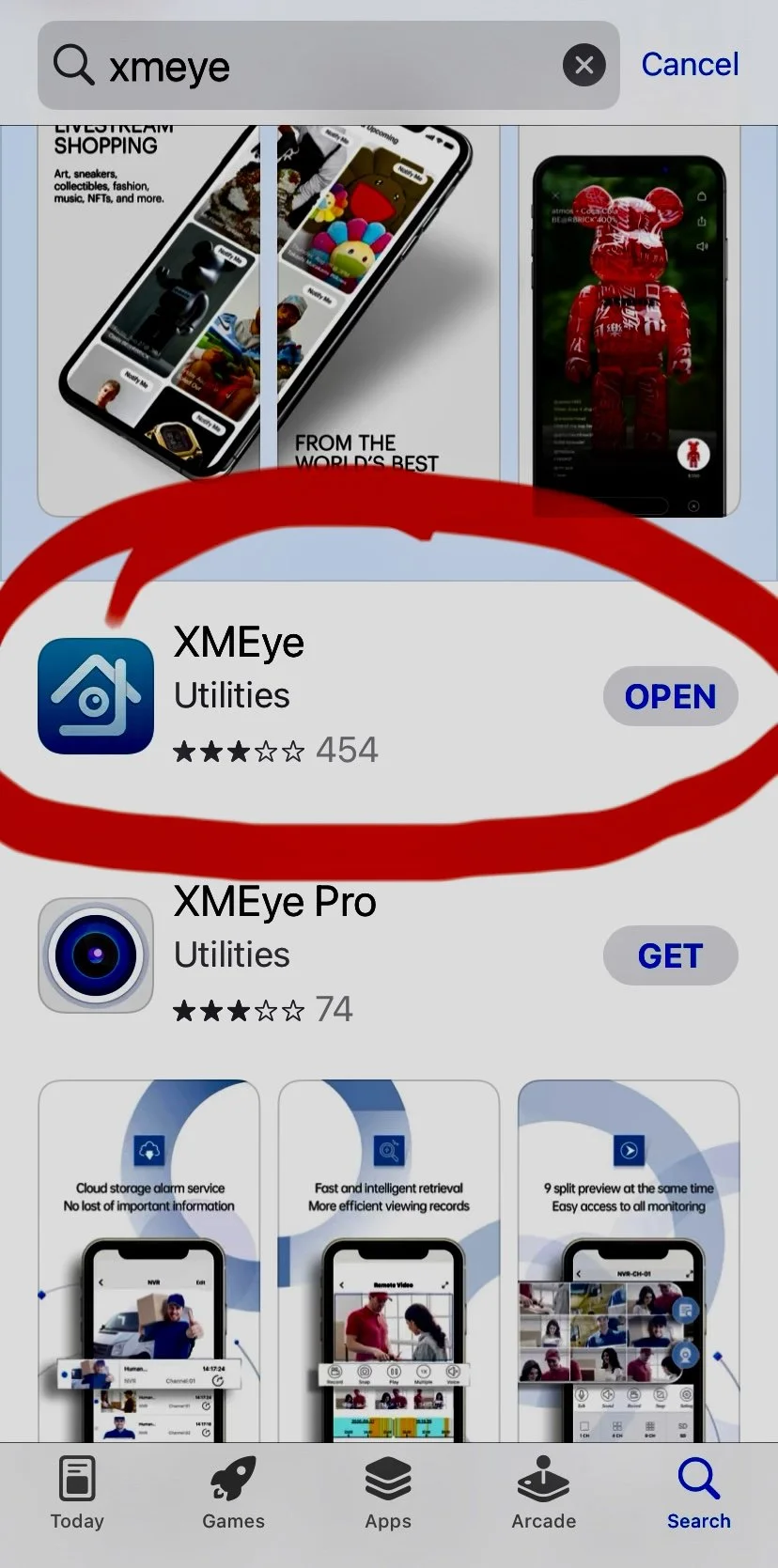
With XMEye you can have the visibility of the court conditions at your fingertips.
3. Open/download the app to your phone.
4. Follow the prompts:
Username: sdtc1414
Password: sdtc7539
THEN…
Keep this PDF file so you can copy the two Ser. #s below. Roger Isaacson 4/13/22
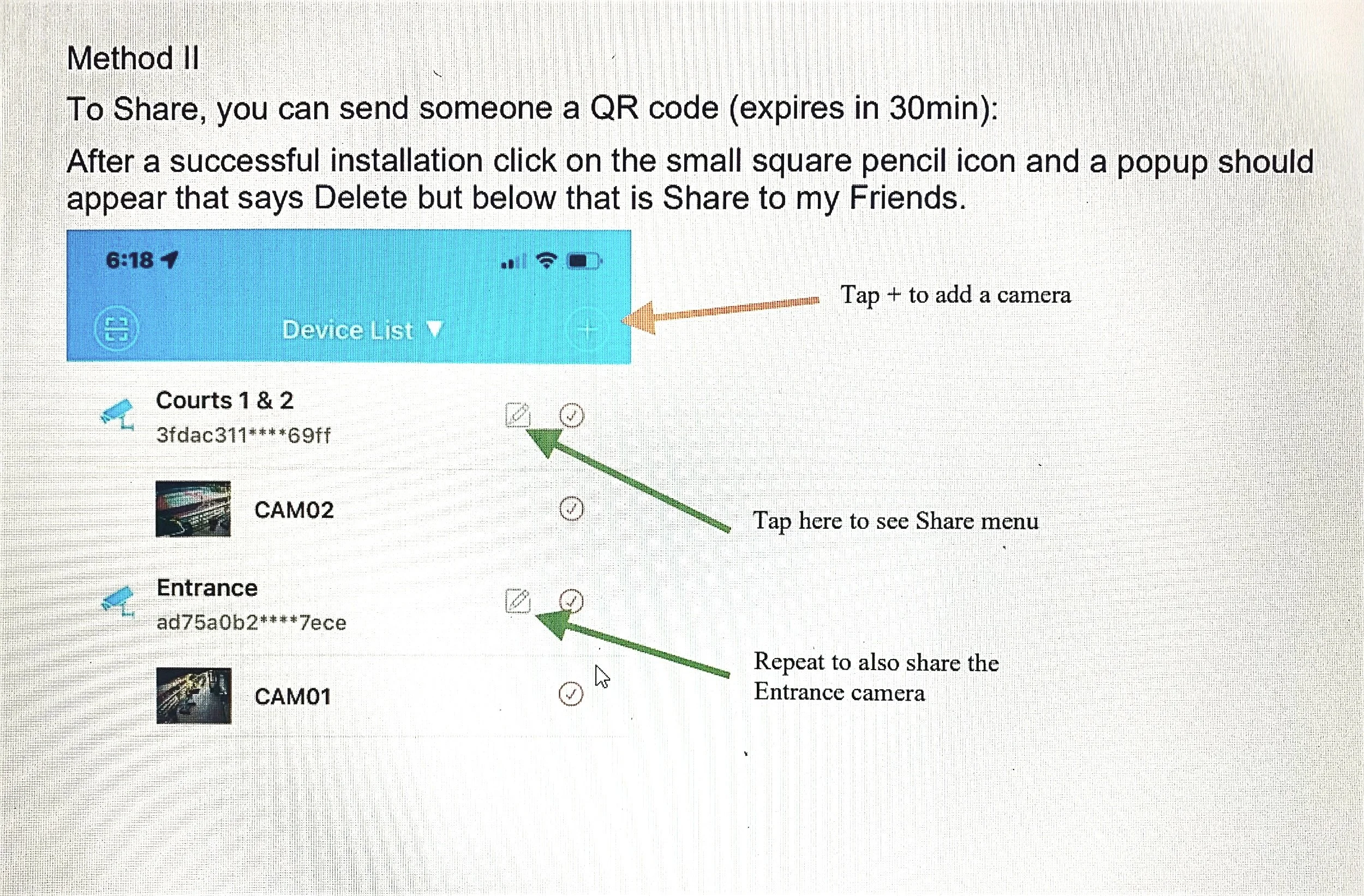
Method I: After installing XMeye app login with sdtc1414 and password sdtc7539; dismiss the black popup if it appears. In the lower left, tap on the Device icon. On the Device List, tap + in upper right (orange arrow and choose Manual Add Enter a device name (anything) and the Serial numbers below.
SDTC- XMeye.net cameras #s:
Courts 1 & 2: 3fdac3111b9169ff
Entrance: ad75a0b2228f7ece
Method II To Share, you can send someone a QR code (expires in 30min): After a successful installation click on the small square pencil icon and a popup should appear that says Delete but below that is Share to my Friends.
THIS SHOULD DO IT!